
The demo shows why I moved beyond a static spreadsheet: another investor can open the same inputs and test a different down payment or financing scenario.
Video
I Stopped Using Every Other Deal Analyzer After This
I walk through DealCooker, the app I built to compare property strategies and share a deal so someone else can change the assumptions.
Published · 12:10
About this video
Read original captions
Source: YouTube captions (EN). Original wording is preserved and may contain transcription errors or outdated statements. It is separate from the reviewed summary above.
Caption transcript. This text is pulled from YouTube captions and may contain minor wording errors.
[00:00] Hey everyone, Dylan Cook here. I made a app that I think is revolutionary in a way. It's very powerful. It's very simple. And I don't know why nobody's made it
[00:14] yet. Because as an as a real estate agent, I have used so many different calculators. Last year, I built my own spreadsheet because I was tired of using just different calculators. They were They were either too basic, too generic, or you know, it was just difficult to share numbers with people.
[00:31] As an agent, I want to be able to share reports and numbers to to to clients and to other professionals. And you can actually do that on a lot, but the breakdown is that you can't actually People want to be able to play with the numbers, right? So, if you were to share a report, everything is a
[00:48] static output. So, then they have to recreate everything you did, and it was painful. It's just painful. So, I made a spreadsheet last year that bridged a lot of what like a lot of the pain points that I was feeling as an agent, running numbers, analyzing deals a little bit more
[01:07] thoroughly, right? And I released it on It's It's actually still on my website, dylancook.com. But and people downloaded it, used it. It's great. But there is just things that that a spreadsheet cannot do. And so, one of the things is
[01:23] I developed an app that works on your phone extremely smoothly. Um they're basically built for your for a phone, but it also works on a desktop. None of the functionality was removed on a phone. So, it's fully functional. You still have access to all the tools,
[01:38] everything on the on the on the app. And basically, you're able to sign in, cloud sync, all that basic stuff nowadays, and share links. You So, you copy a link for your deal, you just give it to somebody else. You share it. Anybody can click that link, and it recreates the same exact inputs you you entered, and it
[01:58] recreates it on their account. So, now you have a deal that you're working through on your account and they have the same inputs and they can instantly look at what you underwrote and then they can play with numbers. And the things that people want to play with are like the deposit
[02:13] amount. So, maybe they'll do 10% maybe they'll do 20% down. The rehab estimates, maybe it's lower or higher. Interest rate, maybe they can pay down a couple points and reduce their interest rate and they can kind of play with those micro numbers a little bit and see what the deal will look like for them.
[02:28] So, like to me if I wanted to do anything similar I I don't know of something that's very similar to this uh and certainly nothing for free. You have to pay $39 a month I believe on BiggerPockets as a pro member to get access to their calculators and then
[02:44] most of them are split up into separate calculators. Whereas with this one you can compare multiple things at once, multiple strategies for the same property at once. Um and then there's other places like DealCheck, whatever. Um any place else is $10 or $20 a month.
[03:00] Right now this is open testing, I'm not charging anything for it. I just want feedback. Feedback, please. Let's go to the actual walk-through of the app. Here's the website, here's the app. This works amazing on either mobile phones or and this is what it looks like on your
[03:16] phone or on your computer. So, a couple things. When you first start out you have the option to sign in. You can do that. What this unlocks is it unlocks you being able to um sync your device. So, you can sync your computer, your tablet, your phone. Any
[03:33] Any device you just log on everything is still there. So, that's helpful. It also allows you to uh copy. You can press this button right here, this share button. You copy that. Now you have a link. You can take this link and you can send it to somebody else and it'll open up all the same inputs you put in. It'll
[03:48] open it up that same deal into somebody else's account. And so, you can share what you're working at like the properties you're working on and you're looking through. You can sh- If you find a good one, you you click the link, copy, share it to your partner, share it to your agent, share it to your client,
[04:02] and they can pull it up and they can see all the same numbers. But, not only that, see that a lot of places a lot of things will do that. You can do that with a spreadsheet, with a report. But, with this, now they can take those numbers and they can play with them. And it's all right there just with a click
[04:15] of a button. So, you have that. Uh right now we don't have a listing, but when you click this arrow right here, it's going to open up the Zillow or Redfin or realtor.com page, whatever you you you put into the listing link URL, um which all this new deal. You put the deal title, which is the
[04:34] name of the uh property. And then you can put the listing link. So, you do like uh you know, it'll be the zillow.com/ you know, 123 uh Main Street, and there you go. And now,
[04:52] you can click this button and it'll bring up uh-oh a fake a fake uh you know, URL. The third button is the report. So, we'll look at that a little bit later because what this will do is it'll bring up the report. We have nothing to show
[05:07] for our report, so we'll wait for later. But, right now you can sign in. Uh you sign in with a Google or you can create uh an account just with any email. All right, now we're signed in. So, you get a little profile there showing you're signed in. You can sign out. Um and now that I'm signed in, I
[05:24] have a record of all my deals, uh which I only have six right here on this account. Uh through here, we have feedback, which is very important. I really would love to receive feedback. It's very easy to do. All you do is type in uh
[05:38] um what your thoughts are, and then you can send it to me, and that's it. It's done. So, I would really appreciate some feedback, maybe more constructive than what I just gave, and uh that'll help me improve the calculator because I am going to be doing that over like for the
[05:57] indefinite for the first foreseeable future. So, we have a lot of things here. Um all these you'll it's pretty intuitive once you start using it for like a few minutes, you'll probably realize what it
[06:10] is. So, we have commercial the main ones that most people would be using probably long-term, Airbnb, and PadSplit. So, a lot of people want to use the BRRRR, some people might use the flip. I'm just guessing here. So, with long-term it's unique. We have this button here and it's the stabilization. So, if you're
[06:28] buying a a 10-unit or a 15-unit or something's even larger, you'll usually be buying the property in more of a distressed manner, and the goal is to turn it around so it's actually making money. And so, you click this button and it opens up some more KPIs down here, and
[06:43] basically these reflect the property a a after a year of holding it, roughly. So, you have um I'm getting ahead of myself here, actually, because we haven't even gone through any of this. But, this opens up more details down here. The main six ones are right here, and
[07:01] these buttons really control the KPIs. You got long-term, Airbnb, PadSplit, BRRRR, and flip. So, let's put together a Here's a deal vault vault, so you can go through and you can start looking through properties that you've already,
[07:20] you know, put together. Okay, so we've we've gone through most of the buttons up here. Here, I put the sample deal together just to have numbers in place so I can show you what these other things do. So, the report button
[07:35] will show you this, and now you can you can also click and and share the link to this report, or you can just print and save it and send it out in an email or whatever you wanted to do. So, there's a lot of options here. This calculator
[07:49] the goal was to make something that was pretty transparent and easy to use and and simple. And so, over here we have you're able to compare side by side. Most people won't aren't going to be doing commercial if you're doing long-term rental. Uh so, if you're trying to decide
[08:06] between a few different strategies, you can put everything together for the same property. You put generally the same purchase price and loan amount. Um now, the rents will change for each strategy, and the options will change, the property management fee, all that is separate.
[08:21] So, you go through, fill them out for whatever property, whatever strategy you want to do. And then the expenses, you can click uh these are toggles. So, the commercial the strategy toggles here impact whether power's being applied to
[08:35] the rental strategy to the pad split strategy. So, uh you're able to configure all this, and then you can side by side look at okay, which property makes the most sense? Uh which strategy makes the most sense for
[08:49] this property? And there you go. That is I'm just clicking buttons now cuz I'm I just keep clicking buttons. Reserves indicate whether you're including the CapEx maintenance in with the with the the monthly cash flow. So,
[09:09] excluding is always going to be higher because you're not taking into account those reserves when you're looking at your cash flow. Normally, you should probably be taking into a that that account, but this helps you see the the full picture. The biggest thing I think that helps
[09:21] people with analyzing a property because cash flow in different markets your 10-year time right your 10-year looks different in every market. Cuz some markets will appreciate at 1% a year, but they may cash flow a lot. And then some markets may not cash flow at all or be negative, but they'll
[09:38] appreciate significantly over 10 years. So the IRR helps you basically compare apples to apples and it just kind of blends all that together and and kind of taking away time. So we have a whole whole period of 10 years. Year zero is the purchase year. So it include why it's negative it's showing
[09:58] you all the money you spent out year zero on on purchase. Down payment, I believe it includes reha like budget a rehab cost all that stuff. So year 1 2 3 this shows you what your estimated total annual income is going to be from cash flow. And then year 10 is your sale year, but
[10:19] you also collected rent that year. So you have rent plus the sale and then what this does is it factors in appreciation of 4% a year or you could do 4.5 depending on where you are in Tampa. In a Y growth could be 2 or 3% or whatever's normal for your market. And
[10:35] then selling costs you have as a seller you're going to have likely the buyer's agent commission, seller's agent commission and then closing costs. So you can put you know whatever makes sense to you. I have it at eight. And then it'll show you right here 17.77%
[10:50] is your IRR. Now if you change that down to five years it actually is higher. But that's just how the math works. If you're curious on how the numbers work, we do have the show work button and this brings down basically a more uh itemized
[11:08] list laid out for you all all in one spot so you can look at this and kind of make sure that it's using the right numbers. So Deal Cooker is highly customizable, but it's also intuitive and simple to use. It's powerful. I'm all I'm constantly
[11:27] adding to it. I'm constantly looking at what we can do to improve. Right now it's basically open testing free. I don't anticipate I really don't know what pricing is going to look like in the future, if there will be pricing. But, right now, I just encourage anybody
[11:40] who's interested in some of this easy-to-use, easy to to connect with other people, and and basically share your work, share your deals. It's just an easy way to do that. Thanks for watching. Appreciate it. You can get it at dealcooker.app. You can download it from the website
[11:56] right there for your phone, Apple or Android.
Talk through your property
Have a question for me?
Send me the address or tell me what you're considering. I'll help you figure out what needs a closer look.
Ask me about this video
More videos

December 8, 2025
5 Reasons Why Investors are Choosing Tampa to Padsplit
Fred from PMI Palms joins me to discuss Tampa's room-rental demand, conversion layouts, and the expenses behind a PadSplit deal.
Watch video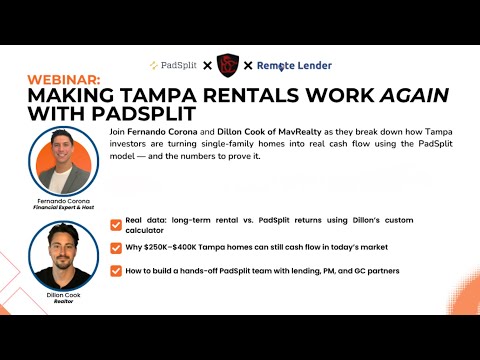
November 26, 2025
Making Tampa Rentals Work Again With Padsplit w/ Fernando Corona
Fernando Corona joins this webinar on Tampa PadSplit investing. I start with property underwriting and the calculator I use to compare deals.
Watch video